 Accessible Home Hub
WORLDWIDE PLANNING · ASSISTIVE CONTROLS
Smart home accessibility for low vision and limited hand movement
Match lighting, entry, heating and everyday controls to a task the resident wants to do. Compare usable access methods, the exact device setup and a dependable backup before buying.
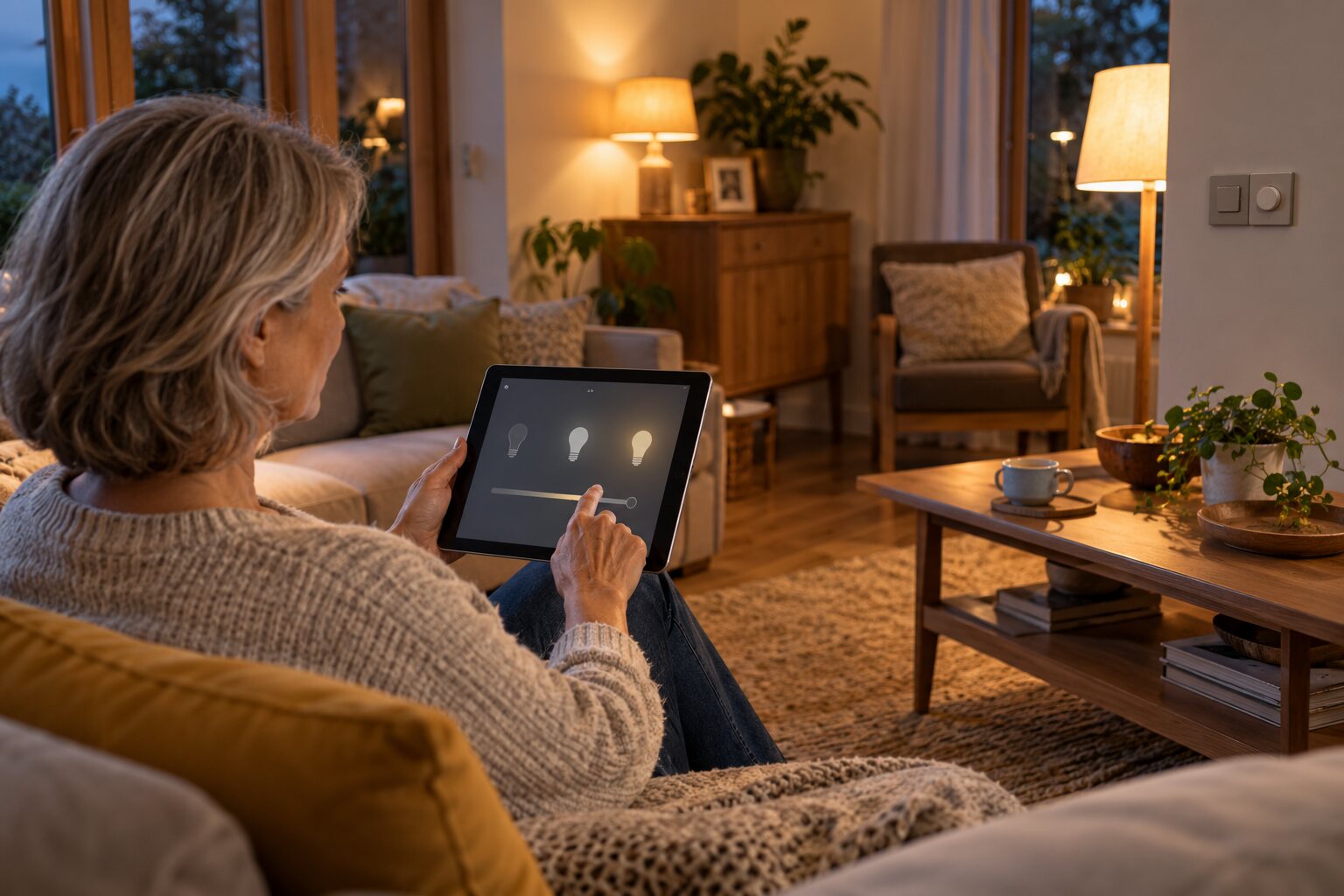
Start with the task, then test the control
Separate finding a control, identifying its function, activating it and confirming the result. Record the resident’s preferred position, movements, vision, communication and assistance. A setup that works in a demonstration may still need adjustment in the actual room.
For low vision
Ask which labels, contrast, tactile cues and spoken feedback the person can use. Check glare, lighting and whether the control can be found again. RNIB describes contrasting controls and tactile adaptations; ask the manufacturer about suitable adaptations to the actual product.
For an app, try the resident’s chosen text size, magnification or screen reader through setup, daily use and recovery. An accessible home-screen button alone does not demonstrate the whole routine.
For limited hand or arm movement
Discuss reach, grip, repeated effort and reliable activation with the assessor. Options to trial may include an accessible physical control, a specialist switch, a different pointing method or voice. The Barnsley NHS assistive-technology overview explains that access methods are established for the person and device.
Include the person’s usual seating and equipment, and ask about changes in needs. Keep a usable alternative if the main access method becomes difficult.
Match technology to an everyday task
The approaches below are possibilities to assess, not a shopping list. Agree a clear outcome and try the complete routine with the resident.
| Task | Options to discuss | Check with the resident |
|---|---|---|
| Operate a light | A findable physical switch, accessible remote, switch interface or voice routine | Can the control be located and used from the intended position? Are brightness and glare comfortable? Does a usable control remain when the usual connection fails? |
| Read or change heating settings | A readable or speaking interface, tactile controls or an assessed alternative controller | Can the current setting be confirmed and changed, including correcting a mistake? Who can manage schedules and any permitted limits? |
| Answer a visitor or enter the home | An accessible doorbell interface, lock control or separately specified door operator | Can the person identify the visitor, unlock, open, pass through and close the door? Check the actual phone/app/controller and both entry and exit arrangements. |
| Open curtains or blinds | A reachable control, motorised system and suitable input method | Can the resident activate and stop the movement? What obstruction handling and manufacturer-approved manual operation apply? |
| Use entertainment or communication equipment | A simpler remote, accessible app, voice or integrated assistive controller | Can the resident select, confirm, cancel and recover from an error? Which parts need an account, hub, subscription or internet service? |
| Reach or move kitchen storage and worktops | An assessed storage arrangement or model-specific powered system | Check comfortable reach, loading, clearance, collision protection, accessible stop controls and the supporting structure with the designer and supplier. |
| Request help | An agreed call method or assessed alert service | Who receives, acknowledges and acts on the request? Confirm the service, coverage and alternative when the usual device is unavailable. |
RNIB’s home-technology guide describes options for lighting, heating, communication and other tasks. Verify the features and dependencies of the exact model rather than assuming every smart device works alike.
Check the whole doorway and kitchen arrangement
A smart lock changes locking or unlocking; it does not necessarily move a heavy door or remove a threshold. Check the route, handle, door force and any proposed operator with the assessor and installer. Agree usable entry and exit when power, a phone or remote access is unavailable.
Moving cabinets and worktops need a model-specific design. Confirm clearances, loads, installation, accessible stopping and collision protection with the appropriate professionals. The controller must suit the person as well as the moving equipment.
Entry and lighting planning · Record the complete route · Kitchen approach and clearance questions
Agree what happens when a dependency fails
Ask the supplier to demonstrate or document these situations using an agreed test. Plan tests so essential support and entry/exit arrangements remain available.
| Situation | Questions to resolve |
|---|---|
| Internet service is unavailable | Which functions remain local? Does the answer differ for ordinary control, setup, remote access and alerts? |
| The router, hub or mains power is unavailable | Which components stop working? If a battery or recovery function is offered, what does it actually support, and for how long under the stated conditions? |
| The usual phone or controller is unavailable | Is an alternative control usable by the resident? Who can restore authorised access without relying on the missing device? |
| Voice recognition or the preferred input is difficult | What alternative method has been assessed and tried? Can the resident still perform the task rather than merely ask someone to reconfigure it? |
| A service, subscription or update changes | What could stop working? Who checks continuing compatibility, support dates, costs and the replacement plan? |
A routine that controls a light is different from a monitored emergency-response service. Confirm who actually responds to a request for help, including when the first contact is unavailable. Use the alert-response questions alongside any monitoring proposal.
Keep account ownership, consent and support clear
Agree who owns the account, may change settings, receives information and can remove access when a helper changes. Ask what is recorded, where it is stored and how the resident can change the arrangement.
The UK National Cyber Security Centre advises checking manufacturer support and maintaining updates. Record who handles those tasks and account recovery. Use the manufacturer’s guidance for the exact device; security advice is not a certification of accessibility or availability.
Distinguish a consumer purchase from a specialist service
Barnsley’s NHS environmental-control service describes assessment, trial or provision, installation and review. It serves Yorkshire and Humber under its own referral and eligibility arrangements; it is not an automatic UK-wide or worldwide equipment offer.
Ask the relevant local service about assessment, trials, compatible assistive interfaces and ongoing support. Confirm who covers any separately required building work, electrical work or door operator. Use the country resources and guided funding finder to prepare the local questions.
Sources and review scope
- RNIB: using technology at home
- RNIB: practical adaptations for sight loss
- Barnsley Hospital NHS: assistive technology and access methods
- Barnsley Hospital NHS: regional environmental-control service
- NCSC: managing smart devices at home
Sources checked 30 October 2026. The task map, failure questions and trial record are original planning aids. Regional services, funding and installation requirements need local confirmation. No hands-on testing, clinical endorsement or model-specific compatibility certification is claimed.
Turn this guide into a plan
Choose the next step that fits your project. These tools help prepare a discussion; they do not replace an individual assessment.
Frequently asked questions
Is voice control best for everyone with low vision or limited hand movement?
No. Compare the person’s ability to find, activate and confirm a control, their communication preferences and the complete task. Trial appropriate physical controls, assistive inputs or voice with the resident and relevant professional, and agree a usable alternative.
Can a smart lock solve difficulty opening a heavy door?
Unlocking is only one part of access. Assess the handle, door force, opening and closing, threshold and approach. A door operator is a separate model-specific proposal, and entry, exit and backup arrangements still need checking.
Will smart-home controls keep working without internet?
It depends on the exact device, controller, hub, configuration and service. Ask separately about internet loss, router or hub failure, mains power, setup and alerts. Record what remains usable and the agreed backup rather than assuming one result for every smart device.
How should smart-home controls be reviewed as mobility changes?
Revisit the intended task, input method, actual equipment, assistance and backup with the resident and relevant professional. Record a review date and reasons to review sooner, such as a difficult control, changed equipment or a service update. A previously successful trial does not establish suitability indefinitely.